The standard 13-amp double socket has changed little in decades, but the devices we’re charging have changed entirely. USB-A and USB-C sockets built into the wall outlet remove the need for bulky adaptor plugs, and smart sockets add remote switching, energy monitoring, and scheduling on top of that. Neither requires wholesale electrical work; most replacements involve swapping the socket itself on an existing back box.
Here’s what the different products actually cost, what they can and can’t do, and when you need a qualified electrician.
Types of USB Socket
USB-A Only
The first generation of wall-mounted USB chargers uses dual USB-A ports alongside the standard 13-amp outlets. Output is modest, typically around 2.1 A to 2.4 A (roughly 10–12 W), which is fine for older phones and tablets but slow for many modern devices.12 These are still widely sold and represent the cheapest option.
USB-A and USB-C Combined
Increasingly common as USB-C has become the dominant connector standard. Most units offer one USB-A and one USB-C port, with total USB outputs commonly between about 18 W and 45 W; the higher-rated units can charge many laptops at a useful rate.3 Some premium units now include dual USB-C.
Smart Sockets
Smart sockets include either individual switched outlets or a whole-unit smart function, controlled via an app and/or voice assistant (Amazon Alexa, Google Home). They typically connect via 2.4 GHz Wi-Fi or Zigbee. Features vary:
- Remote switching, turn on/off anywhere via app
- Scheduling, set times for devices to power on/off
- Energy monitoring, see real-time and historical consumption in kilowatt-hours
- Voice control, via Alexa, Google Assistant, or Apple HomeKit
| Type | Typical Output | Cost (unit only) | Notes |
|---|---|---|---|
| USB-A twin (basic) | About 2.1–2.4 A / 10–12 W | £10–£254 | Fine for older phones/tablets |
| USB-A + USB-C (standard) | Up to 30 W USB-C | £13–£45 | Best all-rounder |
| Dual USB-C (PD) | Up to 65 W | £28–£65 | Good for laptops |
| Smart socket (no USB) | Switched 13 A | £20–£60 | Energy monitoring, scheduling |
| Smart socket + USB | Switched 13 A + USB | £40–£90 | Full feature set |
Own-brand trade ranges, such as the ones the big trade counters sell, sit at the bottom of these bands. As a check in September 2026, Toolstation listed a Crabtree twin switched socket with two USB-A ports at £11.49.1 It listed a Wessex socket with one USB-A and one USB-C port at £12.99.5 It also listed an MK Logic Plus socket with 30 W USB-A and USB-C ports at £31.30.6 For laptop charging, Screwfix listed a LAP twin switched socket with two 65 W USB-C ports at £27.99.7
Will It Fit My Back Box?
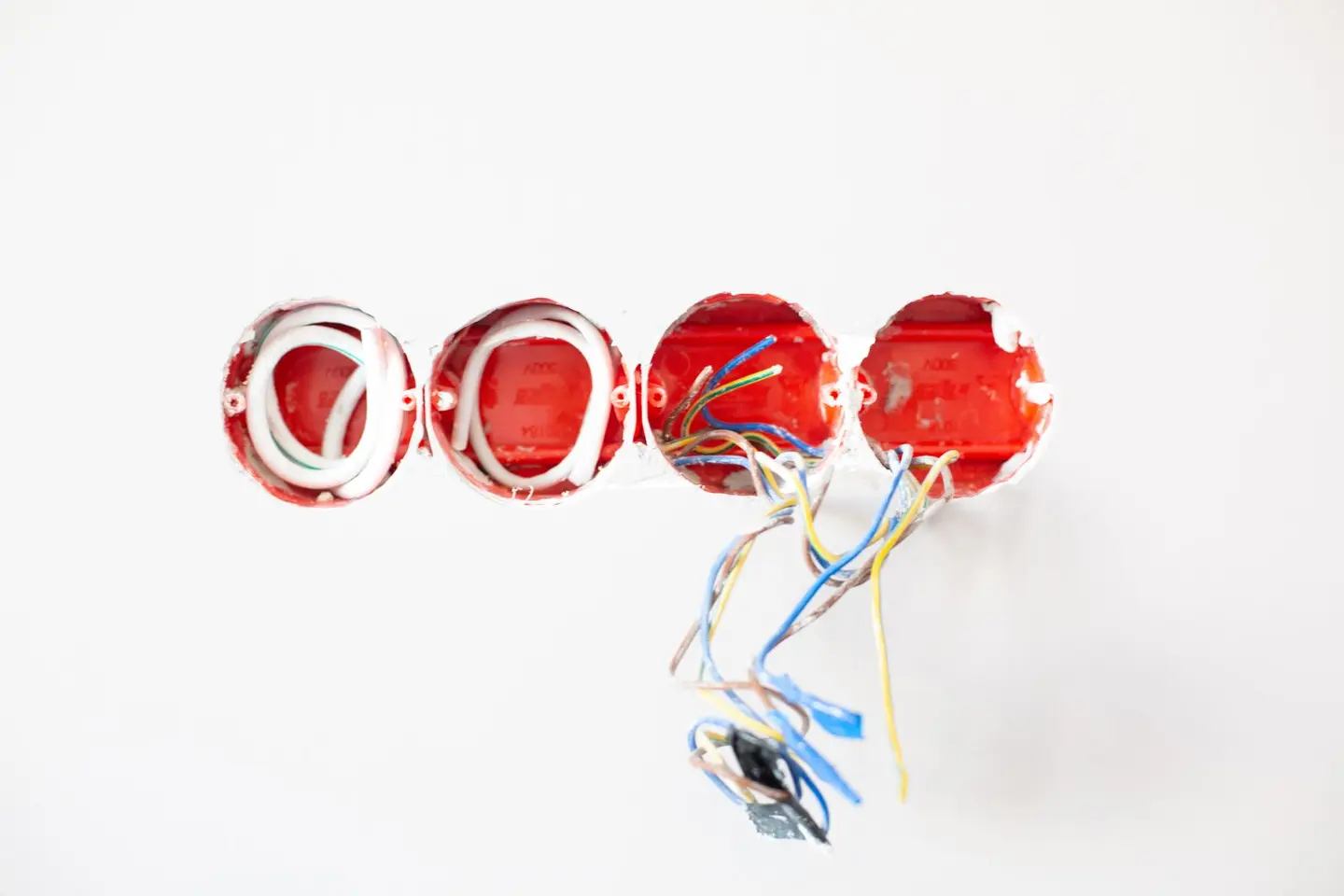
UK sockets sit in single- or double-gang back boxes, most commonly 25 mm or 35 mm deep, with 47 mm boxes available where extra room is needed. The complication with USB and smart sockets is depth: the charging electronics sit behind the faceplate, so many models state a minimum box depth, often 35 mm. Wessex’s USB-A and USB-C socket, for example, requires a 35 mm back box.5 MK’s 30 W Logic Plus socket, by contrast, fits a standard 25 mm back box.6 This means:
- 35 mm back box (metal or plastic): fits most USB sockets without modification.
- Dry-lining (plastic) back box: made in several depths; if yours is shallower than the socket’s stated minimum, swap it for a deeper one (35 or 47 mm).
- 25 mm flush box in a solid wall: common in older installations; check the product’s minimum box depth, as many USB sockets need the box deepened or replaced.
Whatever the wall, take the old socket off first to check the box depth; in a plasterboard wall a replacement 47 mm dry-line box costs around £2 and takes ten minutes to swap.8
Can You Fit It Yourself?
This is one of the more contested areas of DIY electrical work in the UK. The key rule under Part P of the Building Regulations in England is that like-for-like socket replacements are not notifiable work, so a competent homeowner may do them without involving building control.9 Replacing an existing socket with a USB version in the same back box is a like-for-like replacement.9
However, there are limits:
- Installing a new circuit, or replacing the consumer unit, must either be done by a registered competent person, who self-certifies the work, or be notified to Building Control before it starts. A spur taken off an existing circuit outside a special location is not notifiable, though it must still comply with BS 7671.9
- Work inside a bathroom’s special location is notifiable. Kitchens have not been notifiable in England since the 2013 edition.9
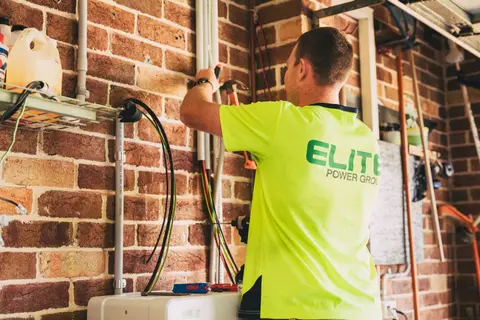
- If you’re uncomfortable working with mains electrical equipment, hire a registered electrician (NICEIC, NAPIT or another scheme authorised by government).10 A typical single-socket swap costs around £80–£140 with a mid-range USB-A and USB-C socket supplied and fitted.
Always isolate the circuit at the consumer unit before removing any socket faceplate, and prove it dead with a two-pole voltage tester before touching any wiring; a non-contact voltage detector on its own is not a reliable way to prove a circuit dead.11
Smart Socket Ecosystems
If you’re fitting more than one or two smart sockets, it’s worth choosing an ecosystem and sticking to it, as mixing brands can mean juggling multiple apps.
- Amazon Alexa, wide device compatibility; works with most smart socket brands.
- Google Home, solid integration; most brands support it.
- Apple Home (HomeKit), fewer compatible devices, and HomeKit-certified sockets often cost more.
- Matter / Thread, the open standard run by the Connectivity Standards Alliance. Matter devices are designed to work with Amazon Alexa, Apple’s Siri and Google Assistant alike, running over Wi-Fi or Thread.12 Look for Matter certification if future-proofing matters to you.
Zigbee-based sockets (requiring a hub) can be more reliable than Wi-Fi in signal-dense environments and can often run without the cloud. Good option for a whole-home smart setup.
Energy Monitoring: Is It Useful?
Energy monitoring sockets report consumption in real time and store historical data. For always-on appliances, fridge-freezer, chest freezer, NAS, fish tank, old TV on standby, this is genuinely useful for identifying what’s costing you money. A 150 W device running 24/7 uses about 1,314 kWh a year, which is roughly £345 at the 26.32p/kWh Ofgem price cap for 1 October to 31 December 2026.13 Knowing that is the first step to addressing it.
For phone chargers and lamp circuits, the monitoring is less meaningful; those loads are small and intermittent.
Installation Tips
- Label your consumer unit before you start so you know which breaker to isolate.
- Take a photo of the existing wiring before removing any cables, USB sockets have the same terminals but often in a slightly different arrangement.
- Check the earth wire is properly terminated. USB sockets with metal faceplates must be earthed.
- Don’t overtighten the faceplate screws on dry-line walls, you can crack the socket or pull the back box loose.
- Test on multiple devices before declaring the job done; some cheap USB socket units have poor voltage regulation that can cause slow charging or intermittent faults.
Smart Sockets and UK Wiring Rules
A smart or USB socket is still a 13 A socket-outlet, so it is installed to the same BS 7671 (IET Wiring Regulations) requirements as any other socket. Approved Document P expects new electrical work to be carried out in accordance with BS 7671.9 The electronics behind the faceplate do not change what Part P says about the work: swapping one in is a replacement, and adding a new one is an addition to an existing circuit.
Cost Summary
| Job | DIY (materials) | Professional supply & install |
|---|---|---|
| Single USB-A+C socket, one room | £13–£45 | £80–£140 |
| Four double sockets, USB throughout | £50–£180 | £300–£500 |
| Four smart sockets (Wi-Fi) | £120–£250 | £320–£550 |
| Smart socket + energy monitoring, 6 units | £200–£400 | £450–£750 |
For most homeowners, USB sockets are a satisfying afternoon project that makes real quality-of-life difference, bedside charging, kitchen surfaces, home offices. Smart sockets are worth the premium if you have always-on loads you want to monitor or automate.
References (13)
Figures in this note were checked against the sources below on 6 October 2026. Superscript numbers in the text point to them. Every source the site cites, by topic.
- 1technicalsupplier figureToolstation, guidance.RN-ZB4PH5A national retailer's product page for a Crabtree double socket with two USB-A charger ports. It rates the USB ports at 2.1 A and states a 35 mm minimum box depth.
- 2technicalsupplier figureToolstation, guidance.RN-1FTF2FA national retailer's product page for a basic twin USB-A double socket. It gives the USB ratings as 1.2 A on one port and 2.4 A on the other, showing the modest output of USB-A-only sockets.
- 3technicalsupplier figureBG Electrical, guidance.RN-MMVEA2A UK wiring accessory maker's USB socket range. It lists double sockets with one USB-A and one USB-C port at 18 W, 22 W and 45 W total USB output.
- 4coststrong locallyWest Lothian Council, a government page.RN-J0IUKZA price, true at 2025-06. West Lothian Council's rechargeable repair rates for 2025 to 2026, coded by recharge number and trade. A Scottish counterpart to the English council schedules, useful for comparison across nations. A recharge to a tenant, carrying administration and the council's contractor arrangements, not a market rate.
- 5costsupplier figureToolstation.RN-OHZTD5A price, true at 2026-09. Toolstation's product page for a Wessex double socket with one USB-A and one USB-C port. It shows £12.99 including VAT, the low end of the USB-A and USB-C price band.
- 6costsupplier figureToolstation.RN-AIOLE4A price, true at 2026-09. Toolstation's product page for an MK Logic Plus double socket with 30 W USB-A and USB-C ports. It shows £31.30 including VAT, a branded mid-range price within the band.
- 7technicalsupplier figureScrewfix, guidance.RN-FINYMFScrewfix product page for a white twin switched socket with two 65 W USB-C Power Delivery ports, priced at £27.99 including VAT; it sets the low end of the dual USB-C band.
- 8costsupplier figureToolstation.RN-YQYY03A price, true at 2026-09. Toolstation's product page for a 47 mm two-gang dry-lining back box. It shows a price of £1.59 including VAT, supporting the note's figure of around £2.
- 9technicalvery strongMinistry of Housing, Communities and Local Government.RN-JYJ3I5The document that decides what electrical work a homeowner may legally do themselves, and the exact list of notifiable jobs. Regulation 12(6A), reproduced at paragraph 2.5, makes only three things notifiable: the installation of a new circuit, the replacement of a consumer unit, and any addition or alteration to existing circuits in a special location. Regulation 12(9) defines special location as, in a room containing a bath or shower, the zone extending vertically from finished floor level to 2.25 metres (or the shower head position if higher) and horizontally 600mm from the edge of the bath tub or shower tray. Paragraph 2.7 states that all other electrical installation work is not notifiable, namely additions and alterations to existing installations outside special locations, and replacements, repairs and maintenance anywhere. Paragraph 2.8 gives worked examples: a built-in cooker is not notifiable unless a new cooker circuit is needed, and connecting an electric gate or garage door to an existing isolator is not notifiable but running a new circuit from the consumer unit to that isolator is. Paragraph 2.2 confirms Part P reaches outdoor work including fixed garden lighting, pond pumps and outbuildings such as sheds, detached garages and domestic greenhouses. Notifiable work must be certified by self-certification by a registered competent person, third-party certification, or a building control body (paragraph 3.1), with the compliance certificate issued within 30 days (paragraph 3.4). Note that Approved Document P is a source of guidance rather than a ban: non-notifiable work still has to comply with BS 7671.
- 10technicalvery strongMinistry of Housing, Communities and Local Government.RN-SAMO3MThe official list of competent person schemes whose members can self-certify certain building work instead of getting building regulations approval, published 4 April 2013 and last updated 12 March 2018. Named schemes with contact numbers include ATTMA, APHC, Assure Certification, Blue Flame Certification, the British Board of Agrement, BESCA, Capita Gas Registration and Ancillary Services trading as Gas Safe Register, CIGA, Certass, Certsure LLP trading as NICEIC, the Elmhurst Airtightness Scheme, Fensa Limited, HETAS Limited, NAPIT Registration Limited, the National Federation of Roofing Contractors trading as CompetentRoofer, and OFTEC. Two footnotes matter: the Gas Safe Register is not technically a competent person scheme although in practice its installers carry the same building regulations responsibilities, and Benchmark Certification Limited ceased to operate as a competent person scheme on 10 February 2017, becoming part of NAPIT Registration Limited that day. Installers joining an electrical scheme are added to the single electrical competent person register.
- 11technicalvery strongHealth and Safety Executive, guidance.RN-X4BUA0HSE guidance on safe electrical working. It says circuits should be proved dead with suitable test lamps or voltage indicators, and that multimeters and non-contact volt sticks are not recommended for proving dead.
- 12technicalfairConnectivity Standards Alliance, guidance.RN-UV3J1AThe standards body's page on the Matter smart home protocol. It says Matter devices work with Alexa, Siri and Google Assistant, and that Matter runs over Wi-Fi and Thread network layers.
- 13technicalvery strongOfgem.RN-YYE8U2The live source for any running-cost sum in a heating note. For 1 October to 31 December 2026 the direct debit cap is 26.32p per kWh for electricity with a 54.83p daily standing charge, and 7.97p per kWh for gas with a 29.68p daily standing charge, giving a typical annual dual fuel bill of £1,723, a 4% rise on the previous period. Ofgem states these are the average unit rate and standing charge for direct debit customers in England, Scotland and Wales; gas prices include 5% VAT while electricity carried no VAT in this period. The cap is reset every three months, so any note quoting a pence-per-kWh figure should be dated against this page.
-
Crabtree 2G USB Switched Socket 2 Gang, Toolstation, accessed 2 October 2026. toolstation.com
-
Axiom 13A Switched USB Socket 2 Gang + 2 USB, Toolstation, accessed 2 October 2026. toolstation.com
-
USB charging sockets, Nexus Metal range, BG Electrical, accessed 30 September 2026. bgelectrical.uk
-
Recharge rates 2025 to 2026, West Lothian Council, accessed 2 October 2026. Priced at 2025-06, so no calibration is needed. westlothian.gov.uk
-
Wessex White USB Switched Socket 2 Gang 3.1A USB A & C Type, Toolstation, accessed 2 October 2026. Priced at 2026-09 and left there. toolstation.com
-
MK Logic Plus DP Switched Socket 2 Gang 13A USB A+C 30W, Toolstation, accessed 2 October 2026. Priced at 2026-09 and left there. toolstation.com
-
LAP 13A 2-Gang SP Switched Socket + 3.25A 65W 2-Outlet Type C USB Charger White with Colour-Matched Inserts, Screwfix, accessed 6 October 2026. screwfix.com
-
Appleby Dry Lining Box 2 Gang 47mm, Toolstation, accessed 2 October 2026. Priced at 2026-09 and left there. toolstation.com
-
Approved Document P, Electrical safety: Dwellings, 2013 edition incorporating 2010 and 2013 amendments, Ministry of Housing, Communities and Local Government, accessed 14 September 2026. assets.publishing.service.gov.uk
-
Competent person scheme: current schemes and how schemes are authorised, HM Government (GOV.UK), accessed 30 September 2026. gov.uk
-
Electricity at work: Safe working practices (HSG85), Health and Safety Executive, accessed 30 September 2026. hse.gov.uk
-
Matter, Connectivity Standards Alliance, accessed 30 September 2026. csa-iot.org
-
Energy price cap unit rates and standing charges, Ofgem, accessed 10 September 2026. ofgem.gov.uk